Connect Open Patrol to Claude
Claude adds Open Patrol as a custom connector and signs in with your Open Patrol account. There is no token to copy.
The server address
Paste it where Claude asks for the server's address.
You will need
- An Open Patrol plan that holds data. See the plans, or sign in if you have one.
- A Claude account. It works the same in Claude Desktop. On a Team or Enterprise plan, an owner adds the connector first.
- A few minutes.
In Claude
Add Open Patrol as a connector
-
Open Connectors
In Claude, open Customize, then Connectors.
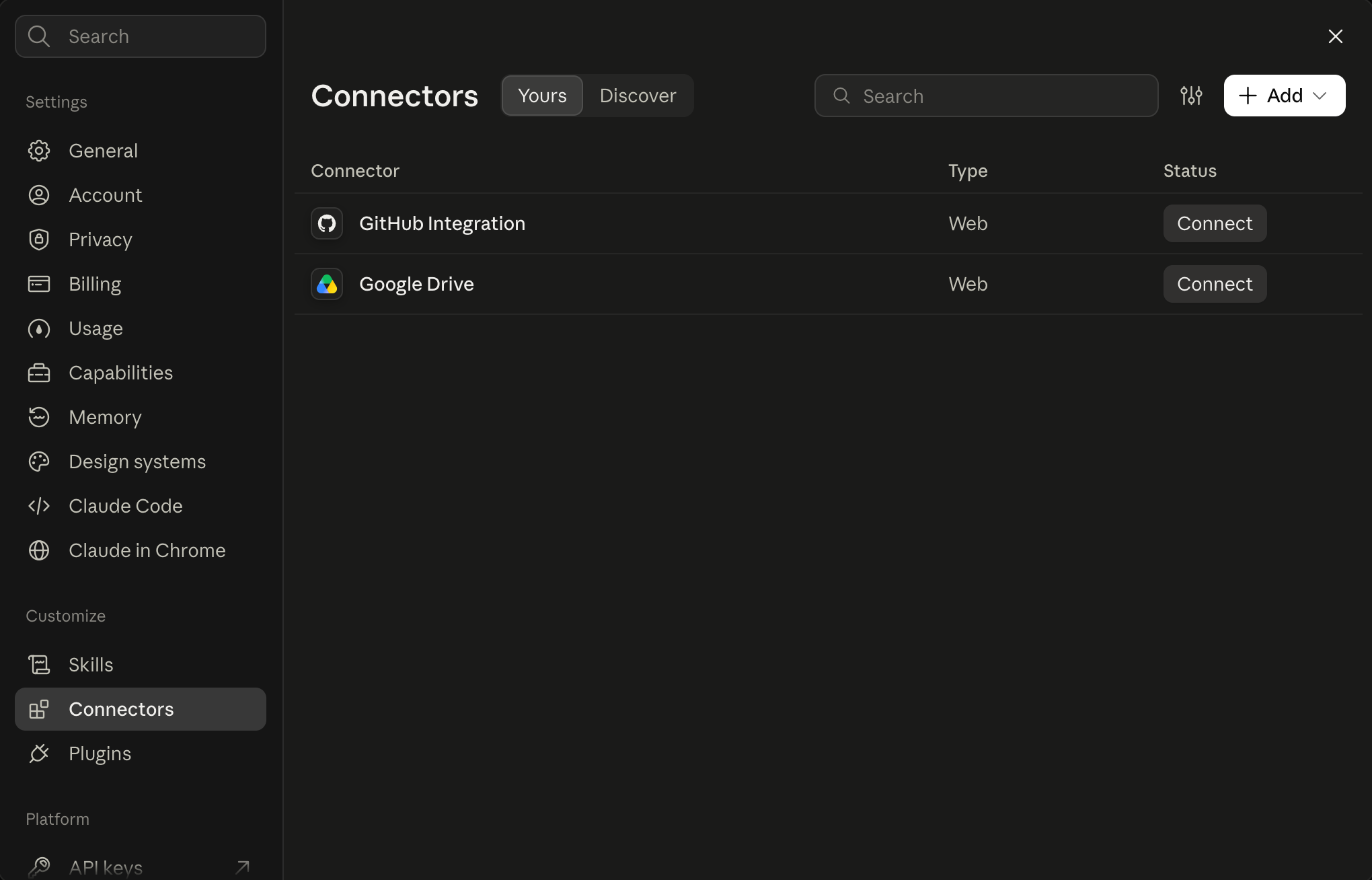
Connectors, under Customize in Claude's settings. -
Add Open Patrol
Choose Add, then Add custom connector. Name it Open Patrol, paste the server address and choose Continue.
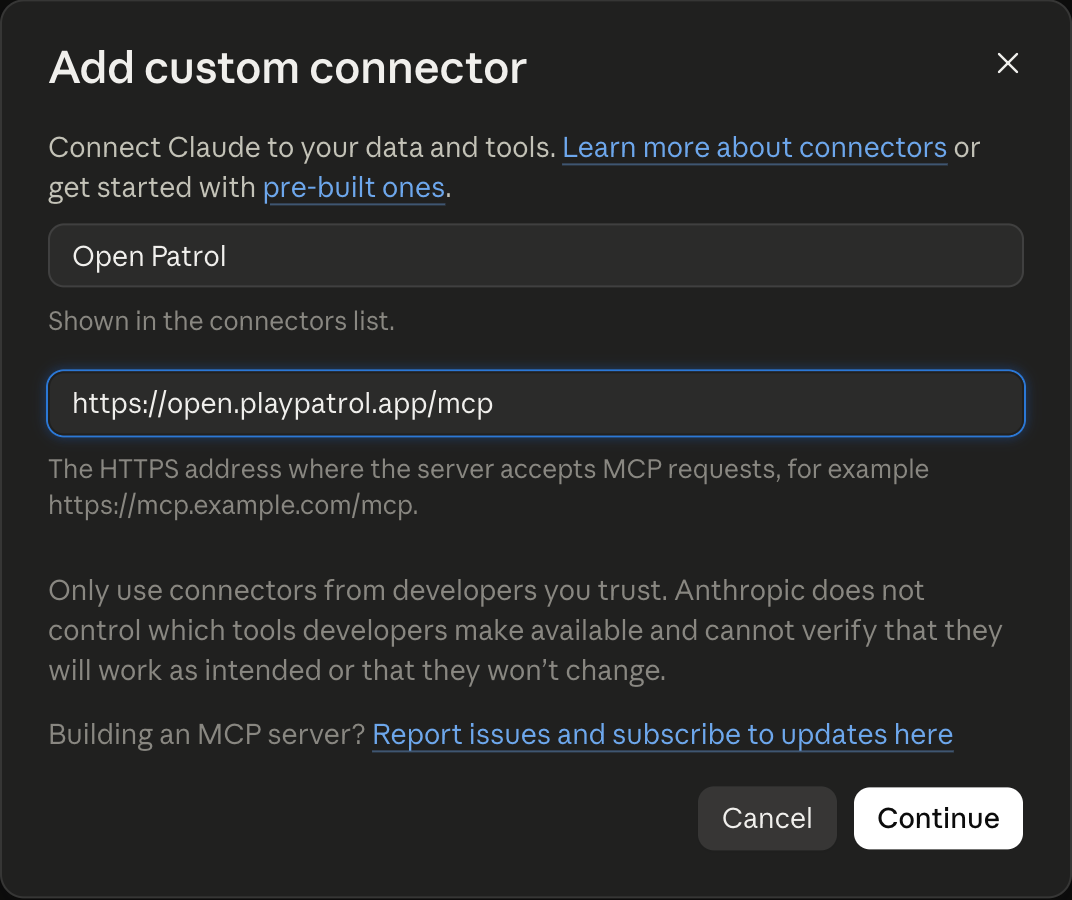
The custom connector, named Open Patrol, with the server address. -
Keep the sign-in settings
Claude checks the server and fills in the rest itself: Sign in now under Authentication and Use Claude's published identity under OAuth client, both marked Detected. Leave them as they are and choose Add.
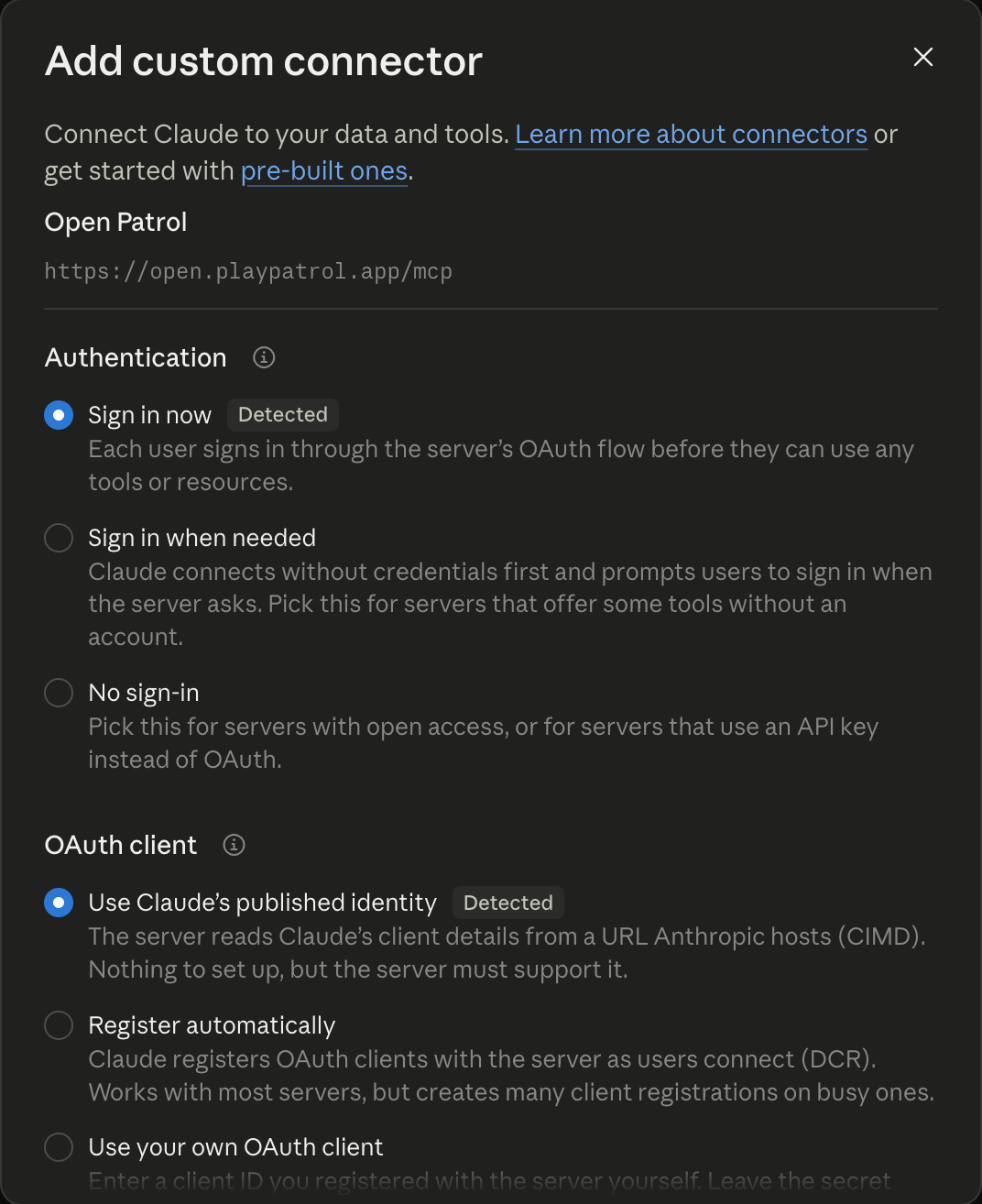
Sign in now and Claude's published identity, both detected. -
Connect
Open Patrol is added, but not connected yet. Choose Connect.
On Open Patrol
Sign in and allow the access
-
Sign in to Open Patrol
Claude opens our sign-in page. Type the address your plan is under and we mail you a six-digit code; type the code to sign in.
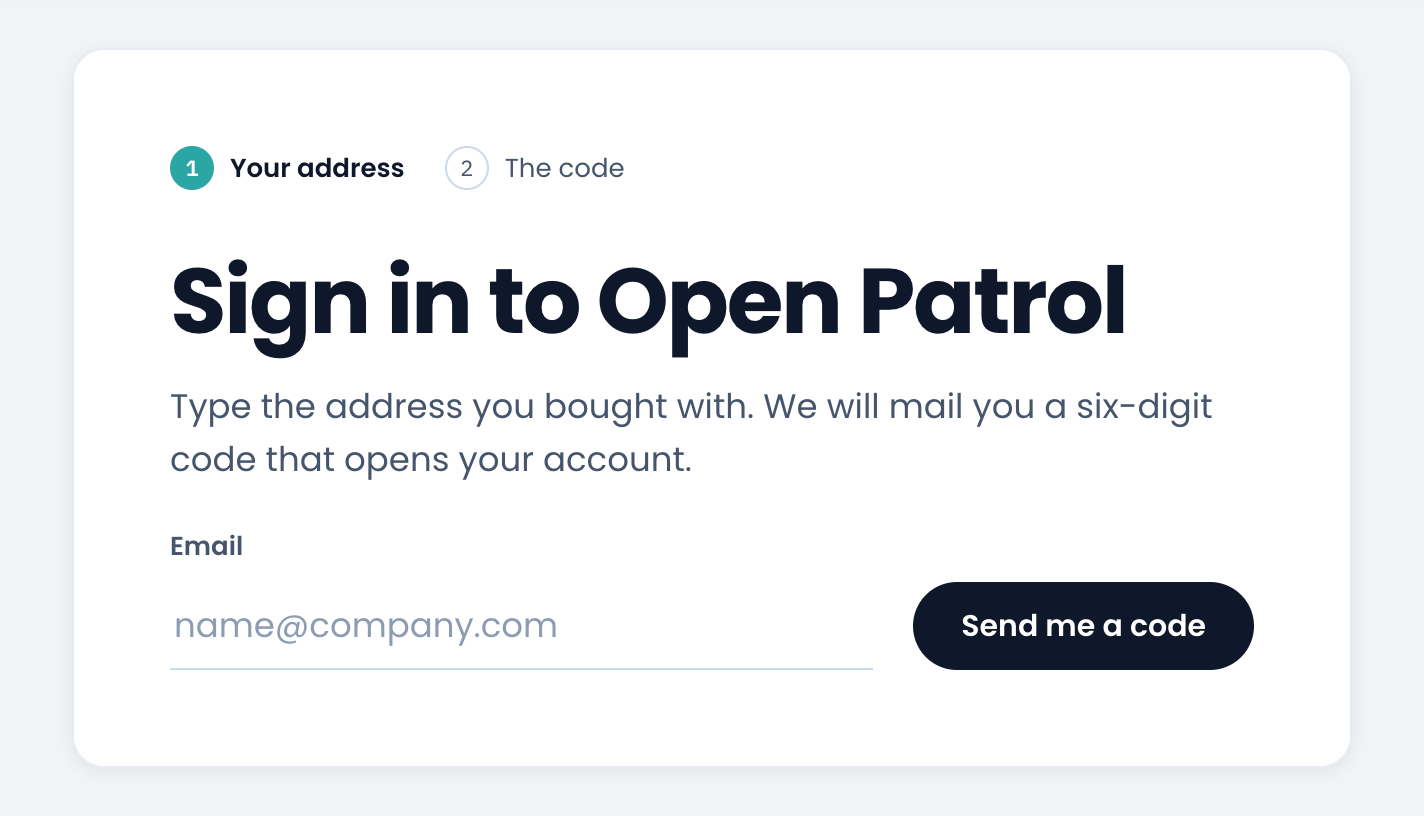
The Open Patrol sign-in page the assistant opens. -
Allow the access
The next page names the assistant, as it names itself, and where it returns to. Allow it only if you started the connection just now.
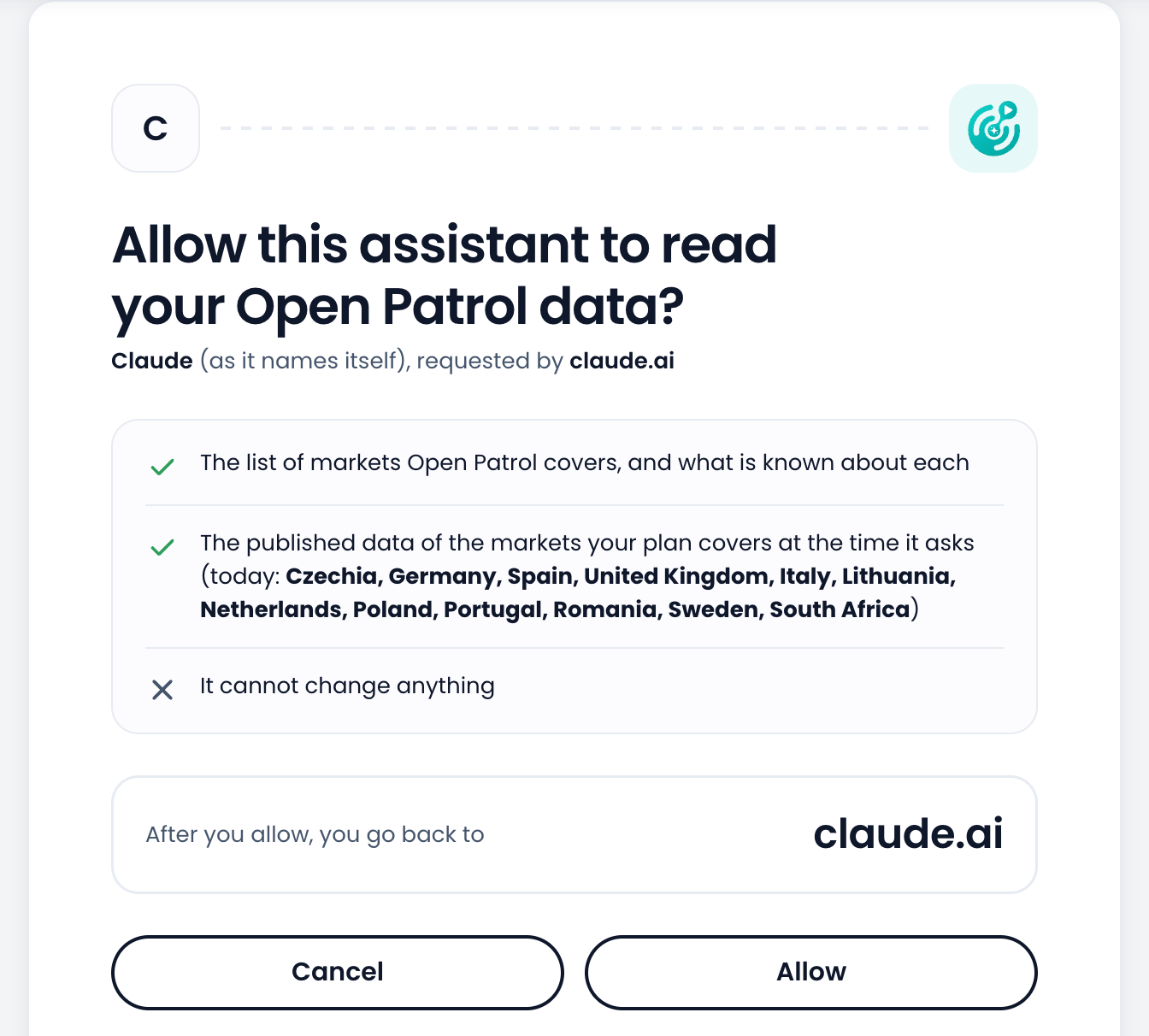
The page that asks you to allow Claude to read your data.
Back in Claude
Check it, then ask
-
Check the connection
Back in Claude, Open Patrol is connected, with its nine read-only tools. Claude asks before it uses each one; you can change that here.
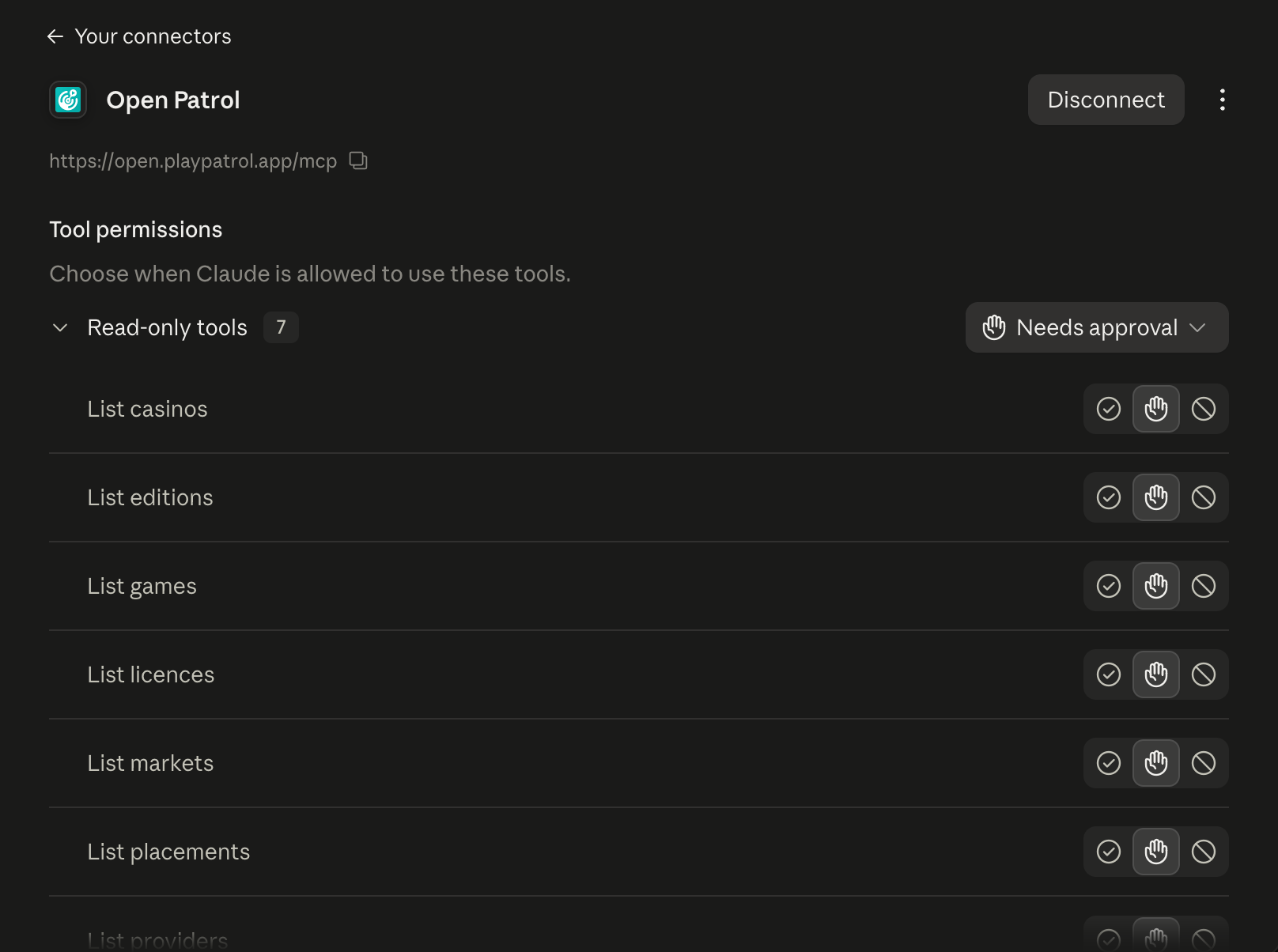
Open Patrol connected in Claude, with its read-only tools. -
Ask it something
Ask in your own words. For example:
- Where did Big Bass Splash stand on UK casino pages last week?
- Which studios had games on the first row of Spanish casino homepages yesterday?
- Which new games appeared on casino homepages in Germany this month?
-
Allow the tools
The first time Claude wants to use an Open Patrol tool, it asks. Choose Allow once, or Always allow so it stops asking.
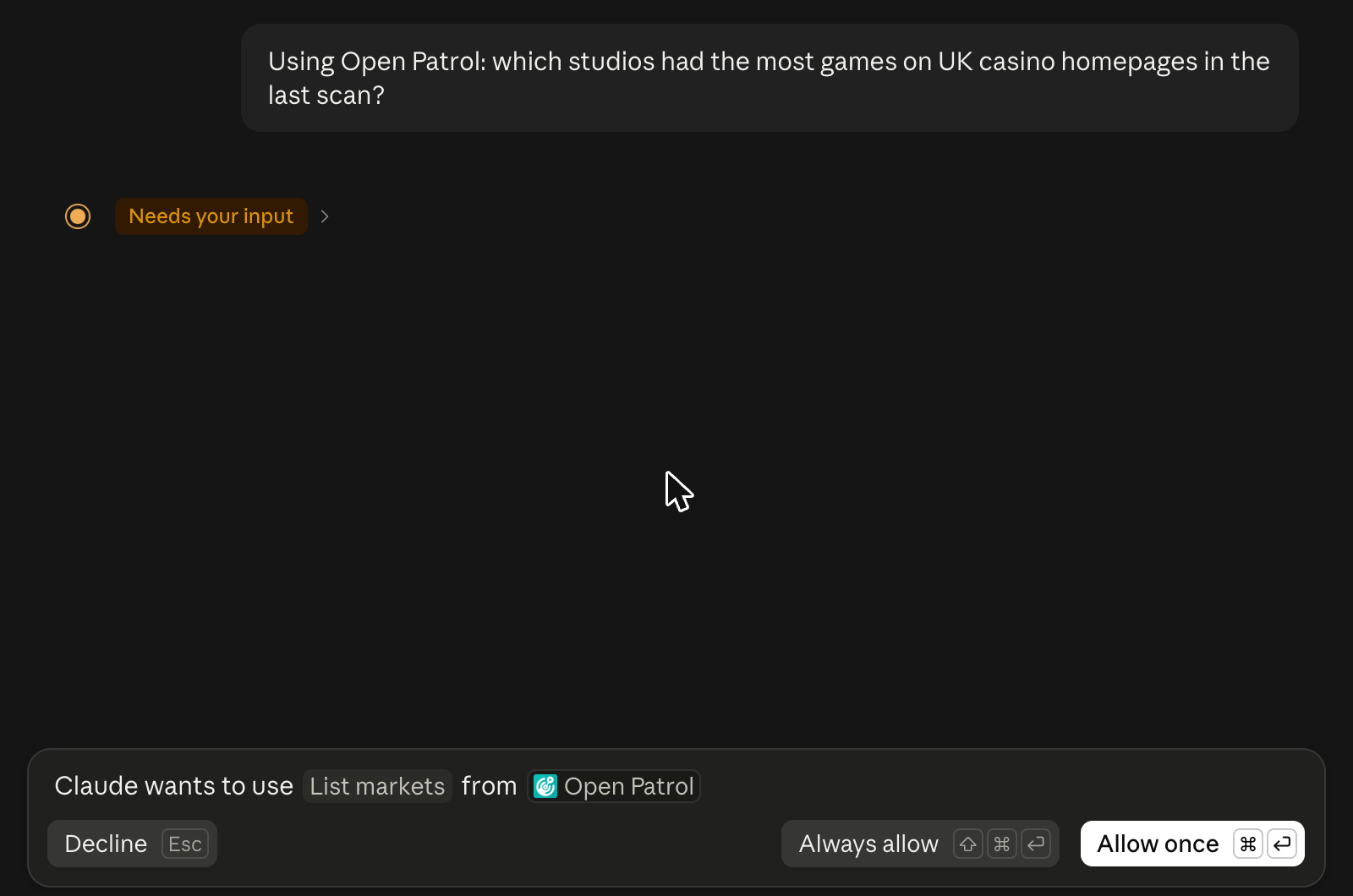
Claude asking to use one of Open Patrol's tools.
If something goes wrong
- Claude says the plan holds no data
- You have no plan that holds data, or it ended. See the plans; the assistant reads again as soon as one is active, without signing in again.
- You want to disconnect Claude
- In your dashboard, open Data access, then MCP, and choose Disconnect beside Claude. It stops at once, and nothing else you connected is touched.